











Voice Solution

Learn some information about the voice.

What Is Telephony?

Telephony is the technology that enables voice communication over distances, using traditional telephone networks or modern internet-based systems like VoIP.

Types of telephony systems?

Here are the main types of telephony systems explained simply:

  1. Traditional (PSTN / Landline Telephony) – Uses copper wires and public switched telephone networks for voice communication.

  2. VoIP Telephony (Voice over IP) – Uses the internet to make and receive calls, cost-effective and flexible.

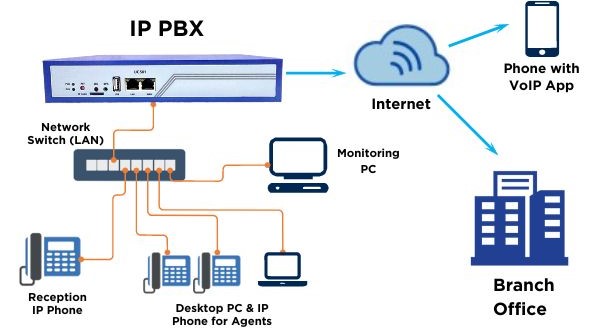
  3. PBX (Private Branch Exchange) – A private business phone system that manages internal and external calls.

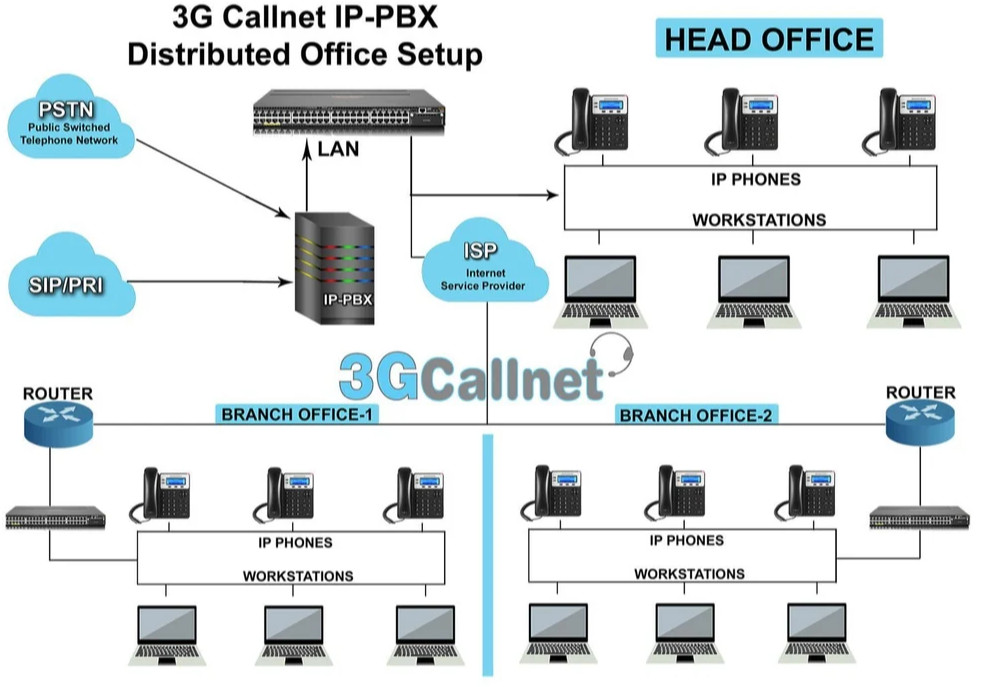
  4. IP-PBX – An advanced PBX system that works over internet protocols for modern communication.

  5. Mobile Telephony – Uses cellular networks (2G, 3G, 4G, 5G) for wireless voice and data services.

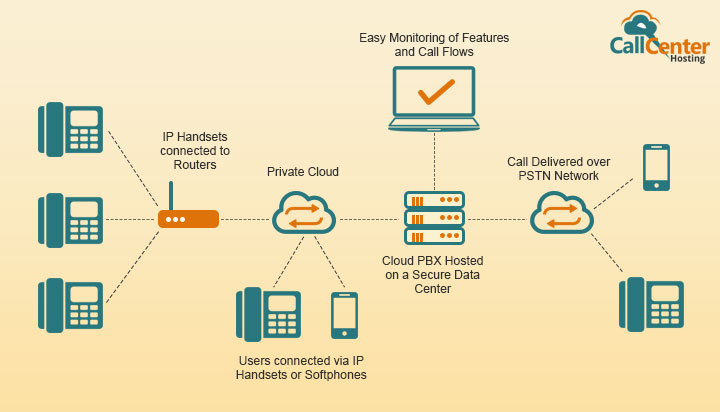
  6. Cloud Telephony (Hosted Telephony) – A fully internet-based phone system hosted on cloud servers, scalable and easy to manage.

What is VOIP?

VoIP (Voice over Internet Protocol) is a technology that allows you to make and receive voice calls using the internet instead of traditional phone lines. It’s cost-effective, flexible, and ideal for both personal and business communication.

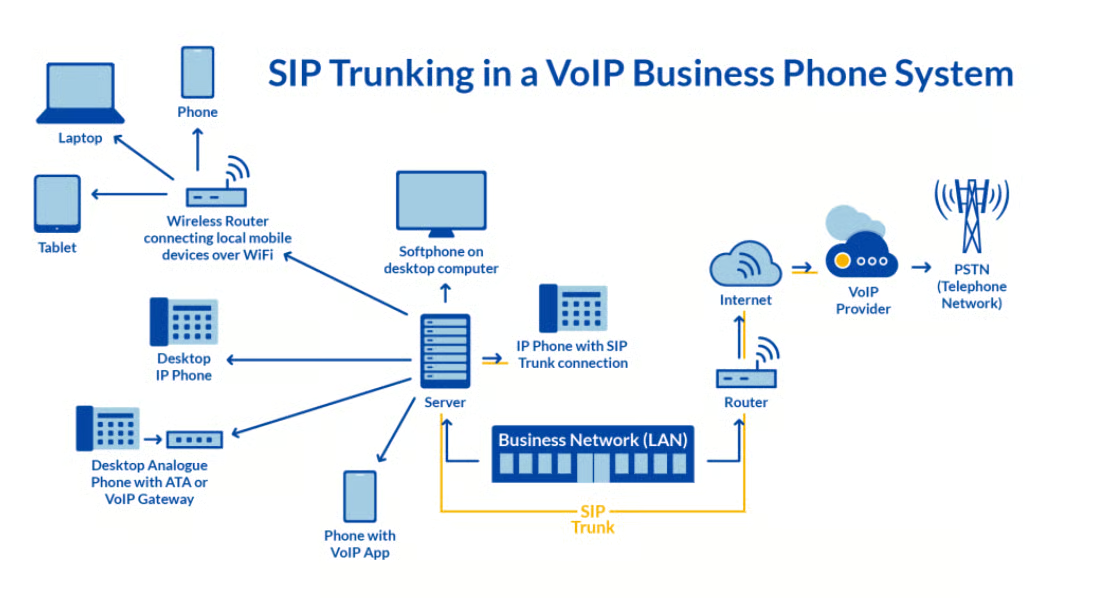
SIP (Session Initiation Protocol) Voice is a communication method that uses the internet to set up and manage voice calls.
It’s a key technology behind VoIP, enabling features like call routing, video calls, messaging, and conference calls.
Businesses use SIP trunking to replace traditional phone lines with internet-based voice services for flexibility and cost savings.

What is SIP Voice

SIP (Session Initiation Protocol) Voice is a communication method that uses the internet to set up and manage voice calls.
It’s a key technology behind VoIP, enabling features like call routing, video calls, messaging, and conference calls.
Businesses use SIP trunking to replace traditional phone lines with internet-based voice services for flexibility and cost savings.

PBX System Benefits for Businesses?

  • Cost Savings – Reduces expenses compared to multiple traditional phone lines.

  • Professional Communication – Provides features like call forwarding, voicemail, IVR, and conferencing.

  • Scalability – Easy to add extensions and lines as your business grows.

  • Better Customer Service – Ensures calls are routed to the right department or person quickly.

  • Flexibility – Supports remote working and integrates with VoIP/cloud systems.

  • Improved Internal Collaboration – Connects teams with internal extensions and conference calls.

A PBX phone system streamlines internal and external communication in any business.
It allows call routing, extensions, voicemail, conferencing, and advanced features for efficiency.
With PBX, businesses save costs, improve customer service, and ensure professional onnectivity.

Hotel Solution IP Phone

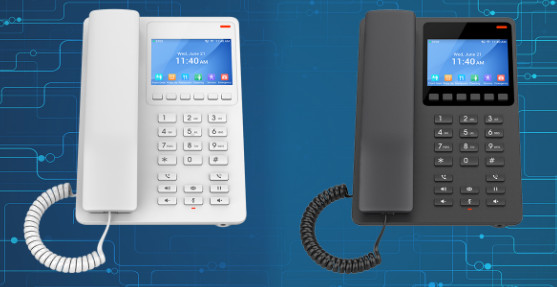
Compact Hotel Phones with color LCD Ideal for Hotel Deployments and Other Similar Environments
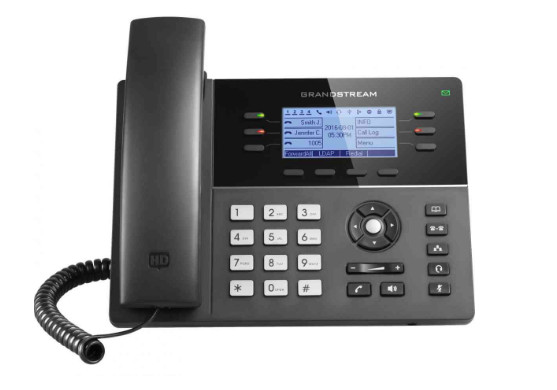
The GHP630(W) & GHP631(W) include an HD speaker on the handset, 2 SIP accounts/lines, 10 speed dial keys and 6 context-sensitive soft keys and includes 2 models with integrated dual-band Wi-Fi 6 support (GHP630W and GHP631W).

  • 2 SIP Accounts, 2 Lines
  • GDMS online device management and provisioning
  • 3-way audio conferencing for easy conference calls
  • Integrated dual-band 2.4GHz & 5GHz 802.11 a/b/g/n/ac/ax Wi-Fi 6 (GHP630W & GHP631W only)
  • Includes one 100Mbps network port with PoE 
  • USB Type-C charging port for modern smart phone charging
  • Hearing Aid Compatibility (HAC)
  • Enterprise-level protection including secure boot

Basic IP Phones

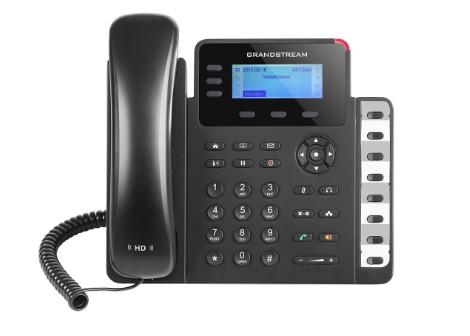
GXP1630 

  • 3 SIP accounts, 3 line keys, 4-way conferencing, 3 XML programmable context-sensitive soft keys
  • HD audio on speakerphone and handset
  • Dual-switched Gigabit ports, integrated PoE
  • 8 dual-colored BLF/speed dial keys
  • EHS support for Plantronics headsets
  • Up to 1000 contacts, call history up to 200 records
  • Datasheet

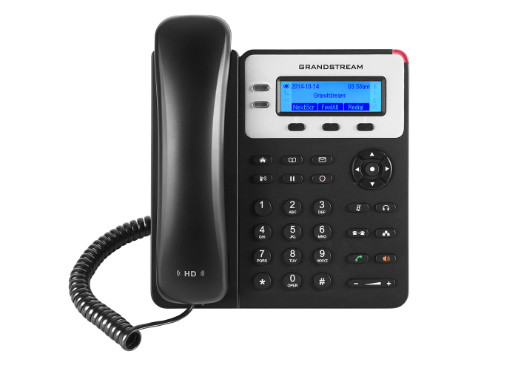
 GXP1620/25

  • 2 SIP accounts, 2 line keys, 3-way conferencing, 3 XML programmable context-sensitive soft keys
  • Dual-switched 10/100 mbps ports, integrated PoE on GXP1625
  • HD audio on speakerphone and handset
  • EHS support for Plantronics headsets
  • Up to 1000 contacts, call history up to 200 records
  • Datasheet

Mid-Range IP Phones

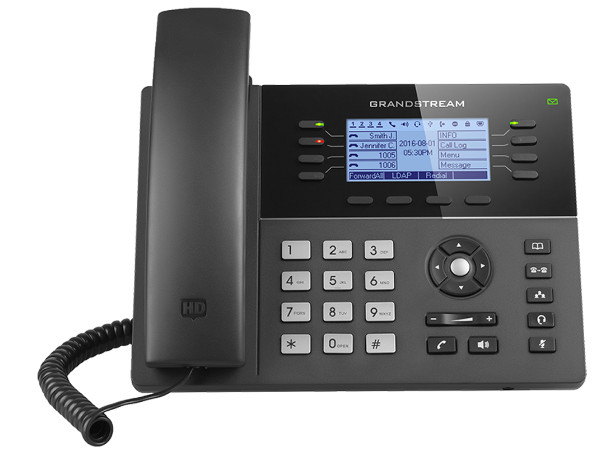
GXP1780/1782

  • 8 lines, 8 dual-color line keys (with 4 SIP accounts), 4 XML programmable context sensitive soft keys
  • 32 digitally programmable & customizable BLF/fastdial keys
  • HD wideband audio, fullduplex speakerphone with advanced acoustic echo cancellation
  • 5-way audio conferencing for easy conference calls
  • Dual-switched Gigabit ports (GXP1782) or dual-switched 10/100Mbps ports (GXP1780), integrated PoE
  • Built-in USB port for importing and exporting data only
  • Supports headset use with a RJ9 headset jack and EHS support for EHS-capable Plantronics headsets
  • TLS and SRTP security encryption technology to protect calls & accounts and Kensington Security Slot support
  • Large phonebook capacity with up to 2,000 contacts and call history with up to 500 records
  • Use with Grandstream’s UCM series IP PBX appliance for Zero- Config provisioning, also supports automated provisioning using TR-069 or AES encrypted XML configuration fil
  • Datasheet

GXP1760W 

  • 6 lines, 6 dual-color line keys (with 3 SIP accounts), 4 XML programmable context-sensitive soft keys
  • 5-way audio conferencing for easy conference calls
  • 24 digitally programmable & customizable BLF/fast-dial keys
  • Built-in USB port for importing and exporting data only
  • HD wideband audio, full-duplex hands-free speakerphone with advanced acoustic echo cancellation
  • Built-in PoE to power the devices and give it a network connection
  • Supports EHS compatible Plantronics’s headsets
  • Automated provisioning using TR-069 or AES encrypted XML configuration file
  • Large phonebook capacity with up to 2000 contacts and call history with up to 500 records
  • TLS and SRTP security encryption technology to protect calls & accounts and Kensington Security Slot support
  • Use with Grandstream’s UCM series IP PBX appliance for Zero-Config provisioning, 1-touch call recording & more
  • Datasheet

High-End IP Phones

GXP2170 

  • 12 lines, 6 SIP accounts, 5 soft keys and 5-way voice conferencing
  • 48 on-screen digitally customizable BLF/speed-dial keys
  • 4.3 inch (480×272) color-screen LCD
  • Dual Gigabit ports, integrated PoE
  • Integrated Bluetooth
  • Supports up to four GXP2200EXT Modules for BLF/speed-dial access to up to 160 contacts
  • Datasheet

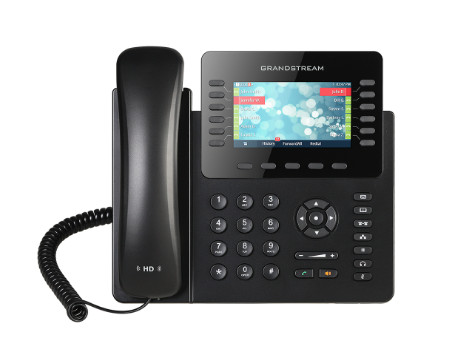
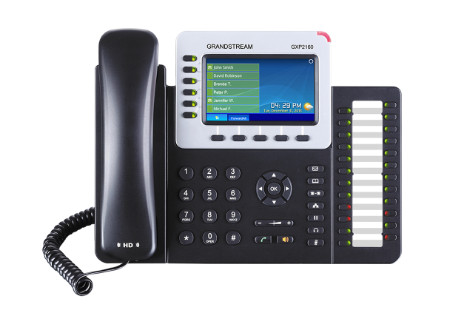
 GXP2160

  • Supports 6 lines, 6 SIP accounts and 5-way voice conferencing
  • 4.3 inch (480×272) color-screen LCD
  • Dual Gigabit ports, integrated PoE
  • HD audio on speakerphone and handset, 5 programmable context-sensitive soft keys
  • 24 dual-colored BLF/speed dial keys
  • Integrated Bluetooth
  • Datasheet

Professional IP Phones

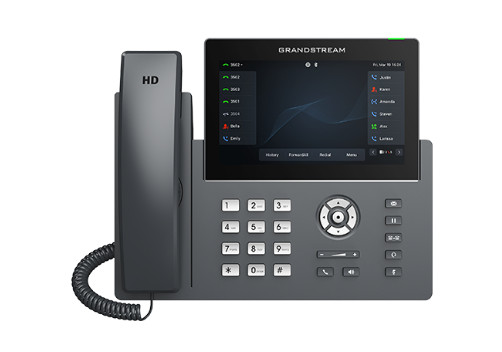
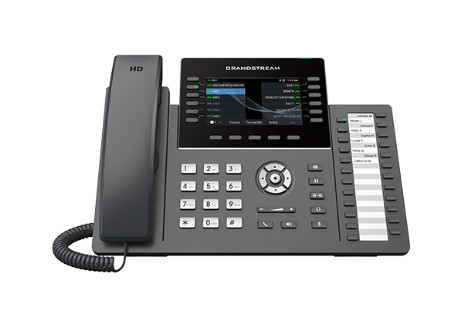
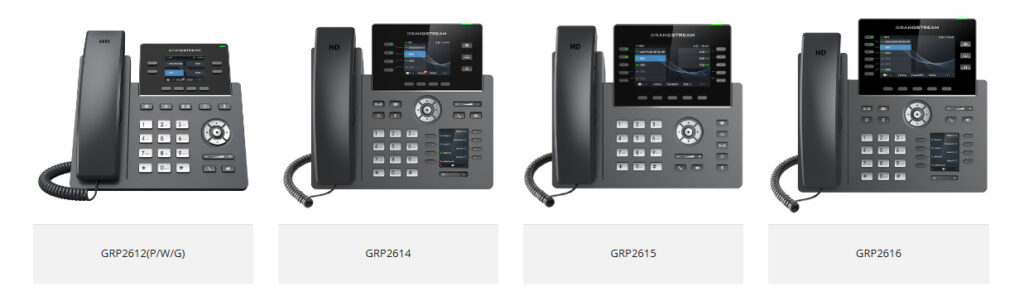
GRP2670

  • 12 lines, 6 SIP accounts
  • Supported by GDMS which provides a centralized interface to configure, provision, manage and monitor Grandstream devices
  • 7-inch (1024×600) capacitive touch screen
  • Full-duplex speakerphone with HD audio to maximize audio quality and clarity
  • Equipped with noise shield technology to minimize background noise
  • Dual switched autosensing 10/100/1000 Mbps Gigabit Ethernet ports with integrated PoE
  • Integrated Bluetooth support
  • Enterprise-level security protection including secure boot, dual firmware images, and encrypted data storage
  • Integrated dual-band Wi-Fi 802.11 a/b/g/n/ac (2.4Ghz & 5Ghz)
  • Datasheet

GRP2636

  • 12 lines, 6 SIP accounts
  • Supported by GDMS which provides a centralized interface to configure, provision, manage and monitor Grandstream devices
  • RJ9 headset jack allowing EHS with Plantronics headsets, and integrated USB Headset support
  • Full-duplex speakerphone with HD audio to maximize audio quality and clarity
  • Equipped with noise shield technology to minimize background noise
  • Dual switched autosensing 10/100/1000 Mbps Gigabit Ethernet ports with integrated PoE
  • Supports 5-way audio conferencing for easy conference calls
  • Enterprise-level protection including secure boot, dual firmware images, and encrypted data storage
  • Swappable faceplate to allow for easy logo customization data storage
  • Integrated dual-band Wi-Fi 802.11 a/b/g/n/ac (2.4Ghz & 5Ghz)
  • Datasheet

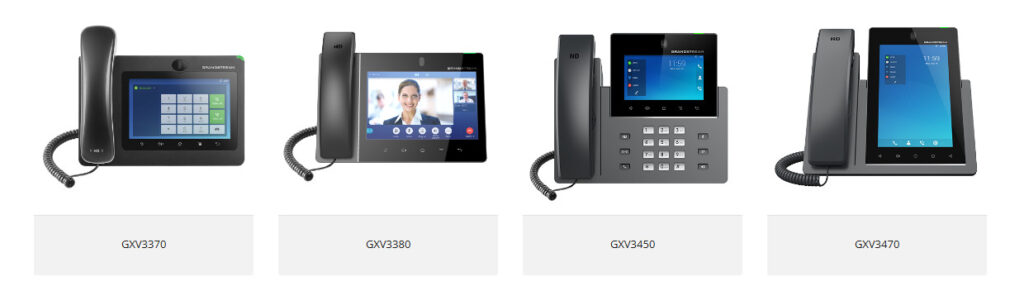
IP Video Telephony

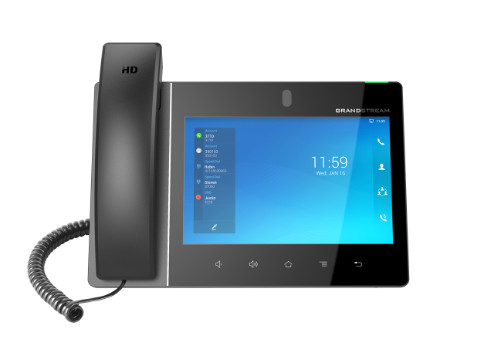
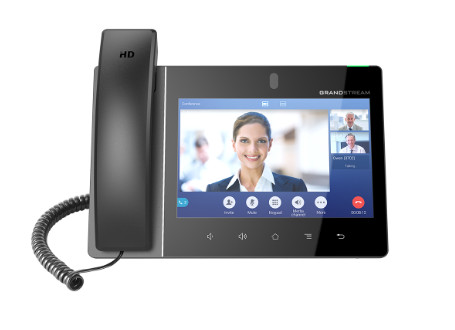
GXV3480

  • 16 lines with up to 16 SIP accounts
  • Built-in 2 megapixel camera for video calling with privacy shutter
  • Runs on the Android 11 operating system
  • Built-in Bluetooth 5.0 for syncing with mobile devices and connecting Bluetooth headsets
  • Dual-switched auto-sensing 10/100/1000Mbps network ports
  • Integrated dual-band Wi-Fi 6 (2.4GHz & 5GHz)
  • Built-in PoE/PoE+ for power and network connections
  • Dual-mic HD speakerphone with noise shield 2.0, advanced echo cancellation & excellent double-talk performance 
  • Quad-core 2.0GHz ARMCortex-A55 processor with 4GB RAM and 16GB eMMC Flash
  • 8’’ (1280×800) capacitive 10-point touch screen IPS LCD
  • Peripherals include HDMI-in/out, USB, Type-C, 3.5mm headset jack, EHS (Plantronics headsets)
  • 12-way HD audio conferencing & 3-way 1080p 30fps HD video capability
  • Datasheet

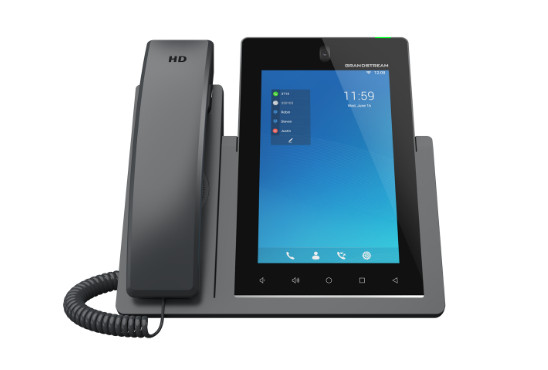
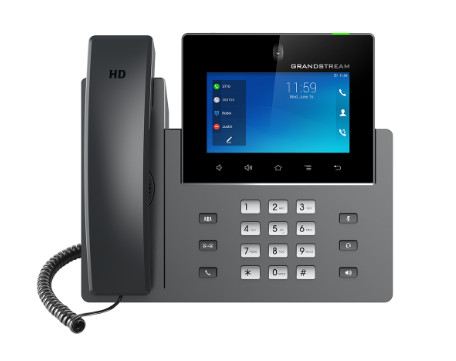
GXV3470

  • 16 lines with up to 16 SIP accounts
  • Built-in 2 mega-pixel CMOS camera for video calling with privacy shutter
  • Runs on the Android 11 operating system
  • Built-in Bluetooth 5.0 for syncing with mobile devices and connecting Bluetooth headsets
  • Dual-switched auto-sensing 10/100/1000Mbps network ports
  • Integrated dual-band Wi-Fi 6 (2.4GHz & 5GHz)
  • Built-in PoE/PoE+ for power and network connections
  • Dual-mic HD speakerphone with noise shield 2.0, advanced echo cancellation & excellent double-talk performance 
  • Quad-core 2.0GHz ARMCortex-A55 processor with 4GB RAM and 16GB eMMC Flash
  • 7’’ (800×1280) capacitive 5-point touch screen IPS LCD
  • Peripherals include HDMI-out, USB, RJ9 headset with EHS
  • 10-way audio conferencing & 3-way 720p 30fps HD video conferencing capability
  • Datasheet

GXV3380

  • 16 lines with up to 16 SIP accounts
  • Built-in 2 megapixel camera for video calling with privacy shutter
  • Runs on the Android 7.x operating system
  • Built-in Bluetooth for syncing with mobile devices and connecting Bluetooth headsets
  • Dual-switched auto-sensing 10/100/1000Mbps network ports
  • Integrated dualband Wi-Fi (2.4GHz & 5GHz)
  • Built-in PoE/PoE+ for power and network connections
  • Dual-mic HD speakerphone with advanced echo cancellation & excellent double-talk performance for any scenario
  • 64-bit quad-core processor, 2GB RAM, and 16GB Flash
  • 8’’ (1280×800) capacitive 10-point touch screen IPS LCD
  • Peripherals include HDMI-in/out, USB, Micro SD, headset jack, EHS (Plantronics headsets)
  • 7-way HD audio conferencing & 3-way 1080p 30fps HD video capability
  • Datasheet

GXV3350

  • 16 lines with up to 16 SIP accounts
  • Built-in 2 mega-pixel CMOS camera for video calling with privacy shutter
  • Runs on the Android 11 operating system
  • Built-in Bluetooth 5.0 for syncing with mobile devices and connecting Bluetooth headsets
  • Dual-switched auto-sensing 10/100/1000Mbps network ports
  • Integrated dual-band Wi-Fi 6 (2.4GHz & 5GHz)
  • Built-in PoE/PoE+ for power and network connections
  • Dual-mic HD speakerphone with noise shield 2.0, advanced echo cancellation & excellent double-talk performance 
  • Quad-core 2.0GHz ARMCortex-A55 processor with 4GB RAM and 16GB eMMC Flash
  • 7’’ (800×1280) capacitive 5-point touch screen IPS LCD
  • Peripherals include HDMI-out, USB, RJ9 headset with EHS
  • 10-way audio conferencing & 3-way 720p 30fps HD video conferencing capability
  • Datasheet

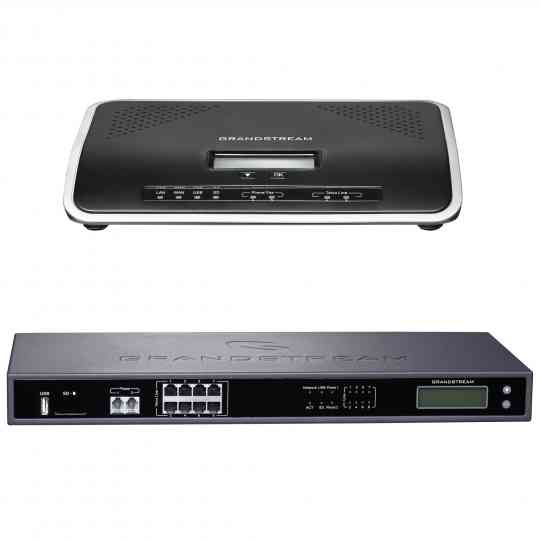
UCM6200 Series

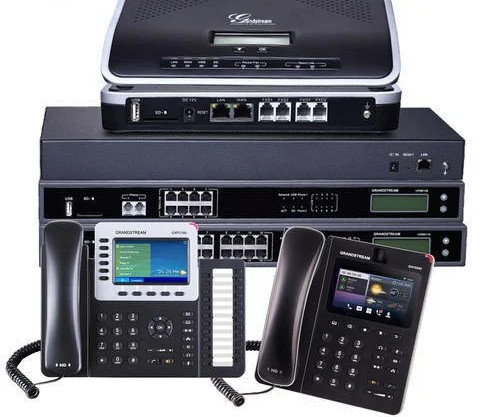
Designed to provide a centralized solution for the communication needs of businesses, the UCM6200 series IP PBX appliance combines enterprise-grade voice, video, data, and mobility features in an easy-to-manage solution. This IP PBX series allows businesses to unify multiple communication technologies, such as voice, video calling, video conferencing, video surveillance, data tools, mobility options and facility access management onto one common network that can be managed and/or accessed remotely. The secure and reliable UCM6200 series delivers enterprisegrade features without any licensing fees, costs-per-feature or recurring fees.

  • UCM6202 and UCM6204 support up to 500 users and 50/75 concurrent calls, UCM6208 supports up to 800 users and 100 concurrent calls
  • Auto Discovery and Zero Configuration of Grandstream SIP endpoints
  • Integrated 2/4/8 PSTN trunk FXO ports, 2 analog telephone FXS ports with lifeline capability and up to 200 SIP trunk accounts
  • Gigabit network ports with Integrates PoE, USB, SD card
  • Supports up to a 5-level IVR (Interactive Voice Response)
  • Built-in call recordings server; recordings accessible via web user interface
  • Built-in Call Detail Records (CDR) for tracking phone usage by line, date, etc.
  • Supports multi-language auto-attendant and call queue to efficiently handle incoming calls
  • Strongest possible security protection using SRTP, TLS and HTTPS encryption
  • Supports any SIP video endpoint that uses the H.264, H.263 or H.263+ codecs

Datasheet

PBX Telephone System FAQs

PBX refers to the private telephone network within a company. VoIP (Voice over Internet Protocol) is the technology that allows voice communications over the internet. A PBX system can use either traditional phone lines or VoIP to connect calls.

Costs vary depending on the type of system and number of users. Generally, you can expect to pay $500-$1000 per user for an on-premise PBX system, plus ongoing maintenance costs. Hosted PBX systems are typically charged a monthly per-user fee, ranging from $15-$50 per month.

PBX (Private Branch Exchange) and PABX (Private Automatic Branch Exchange) are both private telephone networks. The main difference is that a PABX system uses automation to route calls, while PBX was originally a manually operated switchboards. These days, PABX systems are standard, although many people use these terms interchangeably. 

The capacity of a PBX system depends on the specific model and configuration. Most modern systems can support hundreds or even thousands of phone lines. Cloud-based phone systems are especially scalable as they are not limited by physical hardware.

It depends on the type of phone and the PBX system. Many VoIP-based PBXs allow you to use existing IP phones or softphones. However, analog phones may require an adapter or need to be replaced entirely.

Telephony refers to technologies that enable voice communication over a distance, traditionally through landlines, and now through internet-based systems like VoIP.

VoIP (Voice over Internet Protocol) is a technology that allows you to make phone calls using the internet instead of traditional phone lines. It reduces call costs and offers advanced features.

PBX (Private Branch Exchange) is a business phone system that manages internal and external calls. It helps organizations connect employees, departments, and customers seamlessly.

Traditional telephony uses copper wires and landlines, while VoIP uses the internet for calls. VoIP is more cost-effective, flexible, and feature-rich compared to old telephone systems.

Yes. Modern PBX systems (IP-PBX) are VoIP-enabled, allowing businesses to use internet calling while still managing extensions, call routing, voicemail, and other features.


PBX provides call management, scalability, internal communication, call transfer, conferencing, IVR menus, and professional handling of customer calls—making it essential for business growth.


Not always. You can use IP phones, softphones (apps on computers or mobiles), or even adapt existing desk phones with adapters for VoIP.


Yes. With a stable internet connection, VoIP is highly reliable. It also supports HD voice quality, call recording, mobility, and disaster recovery features.


Modern PBX and VoIP systems include encryption, firewalls, and secure protocols to protect business communications from unauthorized access.


consult now

For more information about servers or to install a PBX System  in your company, contact us now by calling or emailing us by pressing the button below. We are ready to help you.

What Is Firewall?

Firewall is a network security device that observes and filters incoming and outgoing network traffic, adhering to the security policies defined by an organization. Essentially, it acts as a protective wall between a private internal network and the public Internet.

Fencing your property protects your house and keeps trespassers at bay; similarly, firewalls are used to secure a computer network. Firewalls are network security systems that prevent unauthorized access to a network. It can be a hardware or software unit that filters the incoming and outgoing traffic within a private network, according to a set of rules to spot and prevent cyberattacks.

Firewalls are used in enterprise and personal settings. They are a vital component of network security. Most operating systems have a basic built-in firewall. However, using a third-party firewall application provides better protection.

Now that we have understood what is firewall, moving forward we will see the history of firewalls.


Types of Firewalls

A firewall can either be software or hardware. Software firewalls are programs installed on each computer, and they regulate network traffic through applications and port numbers. Meanwhile, hardware firewalls are the equipment established between the gateway and your network. Additionally, you call a firewall delivered by a cloud solution as a cloud firewall.

There are multiple types of firewalls based on their traffic filtering methods, structure, and functionality. A few of the types of firewalls are:


Packet Filtering

A packet filtering firewall controls data flow to and from a network. It allows or blocks the data transfer based on the packet’s source address, the destination address of the packet, the application protocols to transfer the data, and so on.


Proxy Service Firewall

This type of firewall protects the network by filtering messages at the application layer. For a specific application, a proxy firewall serves as the gateway from one network to another. 


Stateful Inspection

Such a firewall permits or blocks network traffic based on state, port, and protocol. Here, it decides filtering based on administrator-defined rules and context. 


Next-Generation Firewall

According to Gartner, Inc.’s definition, the next-generation firewall is a deep-packet inspection firewall that adds application-level inspection, intrusion prevention, and information from outside the firewall to go beyond port/protocol inspection and blocking.


Unified Threat Management (UTM) Firewall

A UTM device generally integrates the capabilities of a stateful inspection firewall, intrusion prevention, and antivirus in a loosely linked manner. It may include additional services and, in many cases, cloud management. UTMs are designed to be simple and easy to use.


Threat-Focused NGFW

These firewalls provide advanced threat detection and mitigation. With network and endpoint event correlation, they may detect evasive or suspicious behavior.


How Does a Firewall Work?

As mentioned previously, firewalls filter the network traffic within a private network. It analyses which traffic should be allowed or restricted based on a set of rules. Think of the firewall like a gatekeeper at your computer’s entry point which only allows trusted sources, or IP addresses, to enter your network. 

A firewall welcomes only those incoming traffic that has been configured to accept. It distinguishes between good and malicious traffic and either allows or blocks specific data packets on pre-established security rules. 

These rules are based on several aspects indicated by the packet data, like their source, destination, content, and so on. They block traffic coming from suspicious sources to prevent cyberattacks. 

For example, the image depicted below shows how a firewall allows good traffic to pass to the user’s private network.

However, in the example below, the firewall blocks malicious traffic from entering the private network, thereby protecting the user’s network from being susceptible to a cyberattack.

This way, a firewall carries out quick assessments to detect malware and other suspicious activities.There are different types of firewalls to read data packets at different network levels. Now, you will move on to the next section of this tutorial and understand the different types of firewalls.

Why Are Firewalls Important?

Firewalls are designed with modern security techniques that are used in a wide range of applications. In the early days of the internet, networks needed to be built with new security techniques, especially in the client-server model, a central architecture of modern computing. That’s where firewalls have started to build the security for networks with varying complexities. Firewalls are known to inspect traffic and mitigate threats to the devices.   

Advantages of Using Firewalls

Now that you have understood the types of firewalls, let us look at the advantages of using firewalls. 

  • Firewalls play an important role in the companies for security management. Below are some of the important advantages of using firewalls.
  • It provides enhanced security and privacy from vulnerable services. It prevents unauthorized users from accessing a private network that is connected to the internet.
  • Firewalls provide faster response time and can handle more traffic loads.
  • A firewall allows you to easily handle and update the security protocols from a single authorized device.
  • It safeguards your network from phishing attacks.