Server Solution
Reliable Server Solutions for Your Business
Build a secure, high-performance, and scalable IT infrastructure with our professional server solutions. Our experienced engineers design, deploy, manage, and maintain servers that keep your business running smoothly 24/7.
Why Businesses Need a Server?
Businesses rely on servers to manage data, applications, and network resources efficiently. A server provides a centralized platform that improves security, productivity, and operational reliability.
Centralized Data Storage:
Store all business files, documents, and information in one secure location, making access and management easier for employees.
Improved Security:
Protect sensitive business data with user permissions, access controls, security policies, antivirus protection, and regular backups.
Easy File Sharing:
Employees can securely share files and collaborate without relying on USB drives or personal devices.
Application Hosting:
Run business-critical applications such as ERP, CRM, accounting software, databases, websites, and internal business tools from a central server.
User Management:
Manage employee accounts, passwords, permissions, and access rights from a single location using services like Active Directory.
About Our Server Solutions
Modern businesses depend on reliable servers for applications, websites, databases, file sharing, email services, and business operations. We provide complete server deployment and management services designed to improve performance, security, and uptime while reducing IT complexity.
Benefits of Server for Business?
Better Performance:
Servers are built to handle multiple users and applications simultaneously, ensuring stable and reliable performance.
Automatic Backup:
Regular automated backups help prevent data loss caused by hardware failures, accidental deletion, or cyberattacks.
Remote Access:
Enable employees to securely access company files, applications, and resources from anywhere, supporting remote and hybrid work.
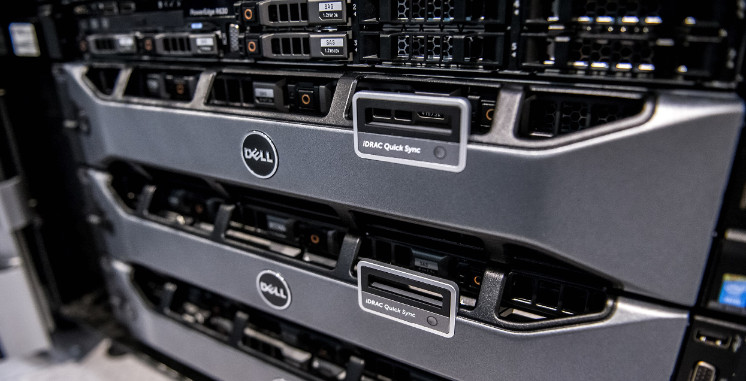
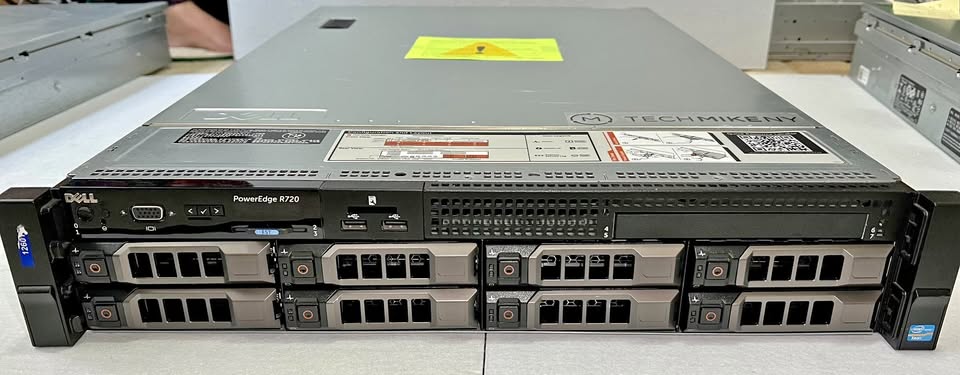
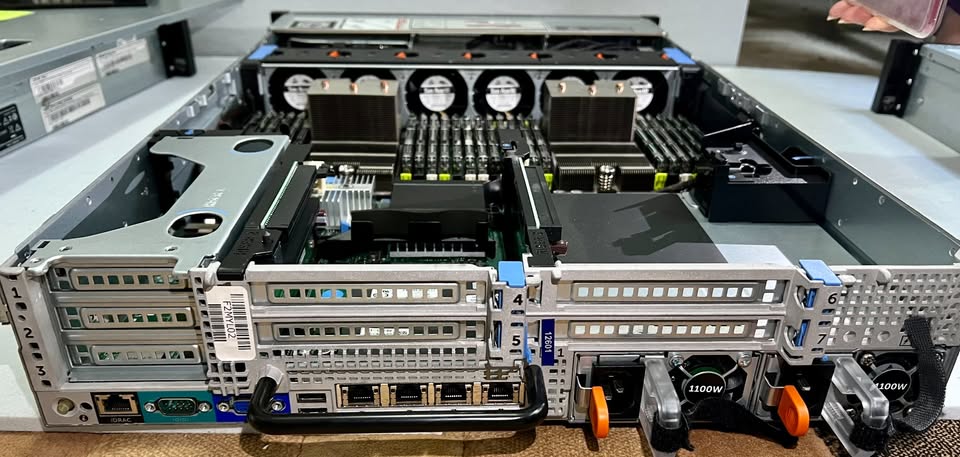
What does a Rack Server look like?


Our Server Services
We provide comprehensive server solutions designed to ensure high performance, security, reliability, and business continuity. Our experienced engineers help businesses deploy, manage, and maintain server infrastructure that supports critical applications and data.
Server Installation & Deployment
- Windows Server Installation
- Linux Server Installation
- Physical Server Setup
- Rack Server Deployment
- Server Migration Services
- Network Integration & Configuration
File & Storage Server Solutions
- File Server Deployment
- Shared Folder Configuration
- NAS & SAN Storage Setup
- Data Access Management
- Storage Expansion Planning
- Secure File Sharing Solutions
Database Server Solutions
- Microsoft SQL Server Setup
- MySQL & MariaDB Deployment
- Database Security Management
Web & Email Server Solutions
- Web Server Installation (Apache, Nginx, IIS)
- Corporate Email Server Setup
- DNS Configuration
- SSL Certificate Deployment
- Website Hosting Infrastructure
- Secure Email Management
Active Directory Services
- Domain Controller Setup
- User & Group Management
- Group Policy Configuration
- Organizational Unit Management
- Password & Security Policy Implementation
- Single Sign-On (SSO) Configuration
Virtualization Services
- VMware Deployment & Management
- Microsoft Hyper-V Configuration
- Virtual Machine Creation
- Resource Optimization
- High Availability Solutions
- Virtual Infrastructure Management
Backup & Disaster Recovery
- Automated Backup Configuration
- Local & Cloud Backup Solutions
- Disaster Recovery Planning
Server Monitoring & Maintenance
- 24/7 Server Monitoring
- Performance Optimization
- Health Checks & Reporting
- Patch Management
- Operating System Updates
- Preventive Maintenance
Get a Free Consultation
Professional Server Installation & SupportCall Now
Build a secure, reliable, and scalable IT environment with our professional server solutions. Contact us today for expert consultation and deployment services.
Server Installtion
Linux Based Web Server
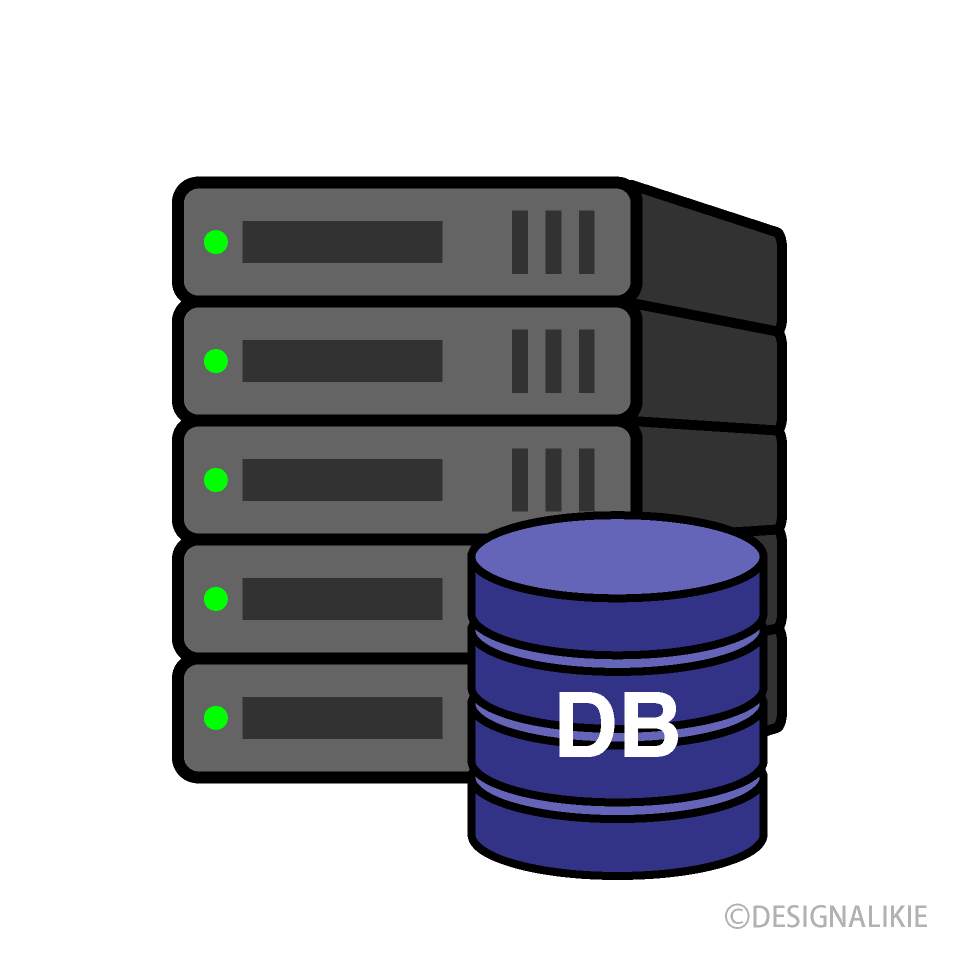
Database Server
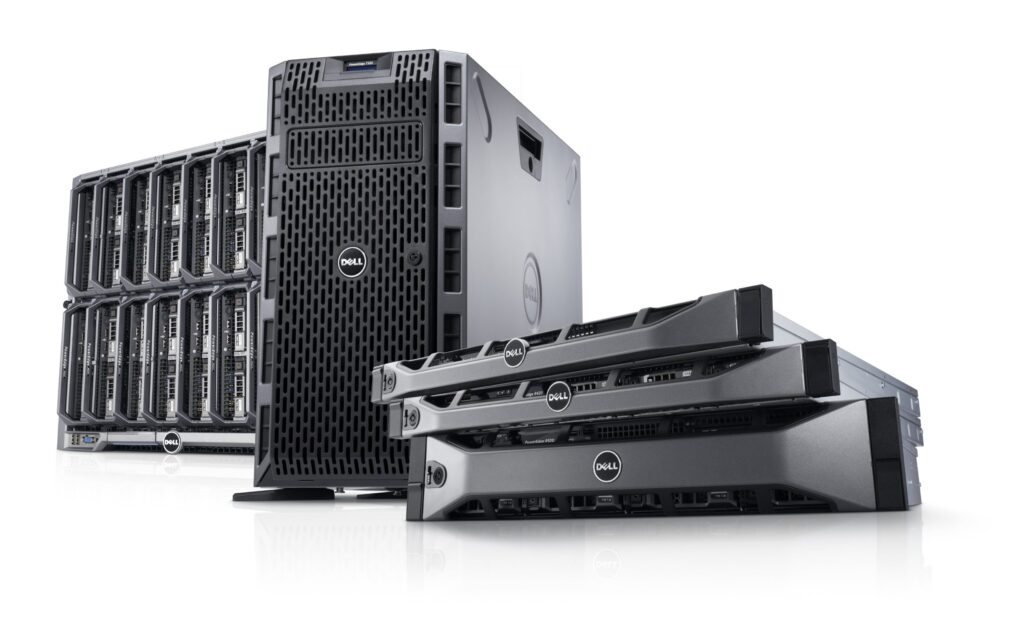
SAN NAS Storage Server
Domain Controler Server
Cloud Server Solutions (AWS & Azure)
Modern businesses need flexible, secure, and scalable infrastructure to support growth and digital transformation. Our cloud server solutions help organizations deploy, manage, and optimize cloud environments on AWS and Microsoft Azure while reducing hardware costs and improving business continuity.
AWS Cloud Solutions:
Leverage the power of Amazon Web Services (AWS) to build highly available, scalable, and secure cloud infrastructure for your business applications, websites, databases, and workloads.
Services Include:
- Amazon EC2 Server Deployment
- Virtual Private Cloud (VPC) Configuration
- AWS Storage Solutions (S3, EBS)
- Cloud Backup & Disaster Recovery
- Load Balancer Configuration
- Auto Scaling Setup
- Cloud Security & Access Management
- Monitoring & Performance Optimization
- Website & Application Hosting
- Database Migration & Management
Microsoft Azure Solutions:
Microsoft Azure provides enterprise-grade cloud services that integrate seamlessly with Windows environments, Active Directory, Microsoft 365, and business applications.
Services Include:
- Azure Virtual Machine Deployment
- Azure Active Directory Integration
- Cloud Storage Solutions
- Azure Backup & Recovery
- Hybrid Cloud Configuration
- Virtual Network Setup
- Application Hosting
- Security & Compliance Management
- Disaster Recovery Planning
- Performance Monitoring & Optimization
Benefits of Cloud Server Solutions
- Lower Infrastructure Costs:
Cloud servers eliminate the need for expensive on-premise hardware, reducing upfront capital investment and ongoing maintenance expenses. Businesses only pay for the resources they use.
- Scalability on Demand:
Quickly increase or decrease computing resources, storage, and network capacity based on business requirements without purchasing additional hardware.
- High Availability and Reliability:
Cloud platforms provide redundant infrastructure and multiple data centers to ensure your applications and services remain available even during hardware failures.
- Faster Deployment:
New servers, applications, and services can be deployed within minutes, allowing businesses to respond quickly to changing operational requirements.
- Better Performance
Cloud providers offer enterprise-grade infrastructure with high-speed storage, powerful processors, and optimized networking to deliver reliable application performance.
- Centralized Management:
Manage servers, applications, users, backups, and security policies from a single centralized platform, simplifying IT administration and reducing management complexity.
- Flexible Resource Allocation:
Allocate CPU, memory, storage, and bandwidth based on actual business demands, ensuring efficient resource utilization and cost optimization.
- Reduced IT Maintenance:
Cloud providers handle hardware maintenance, infrastructure updates, and many routine management tasks, allowing internal IT teams to focus on strategic business initiatives.
- Future-Ready Infrastructure:
Cloud technology enables businesses to adopt emerging technologies such as artificial intelligence, machine learning, advanced analytics, and automation without significant infrastructure investments.
Get Started Today
Upgrade Your Infrastructure
Cloud Server Solutions provide businesses with a secure, scalable, cost-effective, and highly available infrastructure that supports growth, improves operational efficiency, and ensures long-term business success.
Talk to a Cloud Server SpecialistCall Now
Learn some information about the server.
A server is like the heart of the digital world. It’s a powerful computer that stores, manages, and delivers data, websites, applications, and services to other devices—like your laptop, smartphone, or, office computer,Example of Server :- Google Server,Facebook Server,Youtube Server,etc
What is a Server?
- Web Server – Deliverswebsites and applications to users online.
- Database Server – Stores and manages business data securely.
- File Server – Central hub for sharing and storing files.
- Mail Server – Handles emails and communication 24/7.
- Application Server – Runs business apps smoothly for users.
- DNS Server – Translates domain names into IP addresses for easy access.
- Proxy Server – Adds speed, security, and privacy to browsing.
🖥️ File Server
A file server stores and manages files in a central location, allowing employees to securely access, share, and collaborate on documents across the organization.
🌐 Web Server
A web server hosts websites, web applications, and online portals, delivering content to users through web browsers over the internet or local network.
📧 Mail Server
A mail server manages business email communication by sending, receiving, storing, and securing emails for users within an organization.
🗄️ Database Server
A database server stores and manages structured data used by business applications, ERP systems, CRM platforms, and websites while ensuring fast and reliable access.
🔐 Domain Controller Server
A domain controller manages user authentication, permissions, security policies, and centralized access control through Active Directory services.
☁️ Cloud Server
A cloud server runs in a cloud environment such as AWS or Azure, providing scalable, flexible, and cost-effective computing resources accessible from anywhere.
💻 Application Server
An application server hosts business applications and software, enabling users to access critical tools and services from a centralized platform.
📂 Backup Server
A backup server automatically stores copies of important business data, helping organizations recover quickly from data loss, cyberattacks, or hardware failures.
🎥 Media Server
A media server stores and distributes multimedia content such as videos, audio files, training materials, and digital assets across the network.
🖨️ Print Server
A print server manages printers and print jobs across an organization, allowing multiple users to share printing resources efficiently.
🔄 Virtualization Server
A virtualization server hosts multiple virtual machines on a single physical server, improving resource utilization, scalability, and infrastructure efficiency.
🔒 VPN Server
A VPN server provides secure remote access to company resources by encrypting network traffic and protecting communications between users and the corporate network.
Type Of Server?
Why Do You Need a Server?
Servers keep your business fast, secure, and always connected. They store data safely, run applications smoothly, power websites, handle emails, and ensure your team works without interruption—anytime, anywhere.
- On-Premises local – Physical server kept on-site, offering full control, high security, and faster access within your office/network.
Cloud – Hosted online, accessible anytime from anywhere, scalable and cost-efficient with no hardware hassle.
Hybrid – Best of both worlds: combines local control with cloud
Types of Server Deployment?
Software Server (Virtual Server):
- Runs on virtualization software inside a physical machine.
- Cost-effective (no extra hardware needed).
- Easy to scale, flexible, and quick to deploy.
- Ideal for cloud, testing, and multi-tenant environments.
Physical Server:
- Dedicated hardware server.
- High performance and reliability for heavy workloads.
- More secure and customizable.
- Ideal for large enterprises, databases, and critical apps.
Comparison between Software Server (Virtual Server) and Physical Server?
Windows Server OS Flavors:
- Windows Server Standard – Ideal for small to medium businesses, supports virtualization and core server roles.
- Windows Server Datacenter – Best for enterprises, unlimited virtualization, high scalability.
- Windows Server Essentials – Simplified version for small businesses with up to 25 users.
Linux Server OS Flavors:
- Ubuntu Server – Easy to use, popular for web hosting and cloud servers.
- CentOS / Rocky Linux – Enterprise-grade, stable, widely used for production.
- Debian Server – Highly stable, secure, long-term support.
- Red Hat Enterprise Linux (RHEL) – Premium support, enterprise-ready, strong security.
👉 Each OS flavor is chosen based on business needs like cost, scalability, security, and application support.
Windows and Linux server OS flavors types?


We partner with the world’s best server vendors to deliver high-performance, secure, and scalable solutions for businesses of all sizes.
- Dell EMC – Reliable enterprise servers with strong performance and easy management.
- HPE (Hewlett Packard Enterprise) – Scalable, energy-efficient servers built for innovation.
- Lenovo – Cost-effective, powerful servers designed for flexibility.
- Cisco – Network-optimized servers with advanced security and speed.
- IBM – High-end enterprise servers, perfect for mission-critical workloads.
“We provide servers from the world’s top manufacturers—ensuring unmatched performance, security, and scalability for your business success.“
Leading Server Manufacturers Company
A server is a computer or system that provides data, resources, services, or programs to other computers (called clients) over a network.
- Web Server
- Database Server
- File Server
- Mail Server
- Application Server
- Proxy Server
- DNS Server
- Virtual Server
Server: Provides resources/services.
Client: Requests and uses resources/services.
Hardware Server: Physical machine dedicated to running server tasks.
Software Server: Server software running on physical or virtual machines.
Windows Server
Linux (Ubuntu Server, CentOS, Red Hat, Debian, etc.)
Unix
Local Server: Runs within a local network (on-premises).
Cloud Server: Hosted remotely in a data center, accessible via the internet.
On-premises deployment
Cloud deployment (AWS, Azure, Google Cloud)
Hybrid deployment
A DNS (Domain Name System) server translates domain names (like google.com) into IP addresses so browsers can load websites. IP to Name And Name to IP
A web server stores and serves website content (HTML, CSS, JS, images) to users over the internet. Examples: Apache, Nginx, IIS.
A database server stores, manages, and provides access to data. Examples: MySQL, PostgreSQL, Oracle DB, SQL Server.
A file server provides centralized storage and file access to multiple users over a network.
NAS (Network Attached Storage): File-level storage, easy to set up.
SAN (Storage Area Network): Block-level storage, high speed, used in enterprises.
It is Microsoft’s directory service used for managing users, groups, permissions, and authentication in Windows networks.
A proxy server acts as a gateway between users and the internet, providing security, anonymity, and caching.
Regular updates/patching
Strong authentication
Firewalls
Backup & monitoring
Virtualization allows running multiple virtual servers (VMs) on a single physical server using hypervisors (VMware, Hyper-V, VirtualBox).
VPS (Virtual Private Server): Shared physical server with isolated virtual environments.
Dedicated Server: Entire physical server dedicated to one client.
IaaS (Infrastructure as a Service): Provides virtual hardware resources (AWS EC2).
PaaS (Platform as a Service): Provides platforms for app development (Heroku, Google App Engine).
SaaS (Software as a Service): Provides software over the internet (Gmail, Office 365).
Customer Questions (FAQs)
We work with two types of servers: Windows and Linux. Contact us to learn more.
- Yes, we operate setup three types of servers: physical, virtual and cloud servers.
It will probably take us 2 days to install the server and the date may depend on what server it will be. Contact us for more information.
Yes Both Server Cloud and On -premises local
You can get both physical server and configuration. If you have a server in the past, there is no problem. We will do the configuration. Along with this, we do all kinds of networking work such as router switch firewall etc.
Yes
Yes
If you already have it set up, we have no problem with that, we can do our job.
Yes
Yes
Yes
Yes Yearly AMC
consult now
Choosing the right server type helps businesses improve performance, security, collaboration, and operational efficiency while supporting future growth.
Get a Free Consultation & Quick Support!! Call Now
We deliver reliable and high-performance server solutions using trusted server brands recognized worldwide for their quality, scalability, and enterprise-grade reliability. By partnering with industry-leading manufacturers, we ensure your business benefits from powerful infrastructure, enhanced security, and long-term support.
Trusted Server Brands We Work With:
- Dell Technologies – Enterprise-grade servers designed for performance, scalability, and mission-critical workloads.
- Lenovo – High-performance servers built for modern data centers and growing businesses.
- IBM – Advanced server platforms for large-scale enterprise workloads.
- Cisco – Integrated computing, networking, and data center infrastructure.
Working with the Best Brands in the Industry